Why Last Week's Winners Stopped Working
The Moment Everything Just... Stops
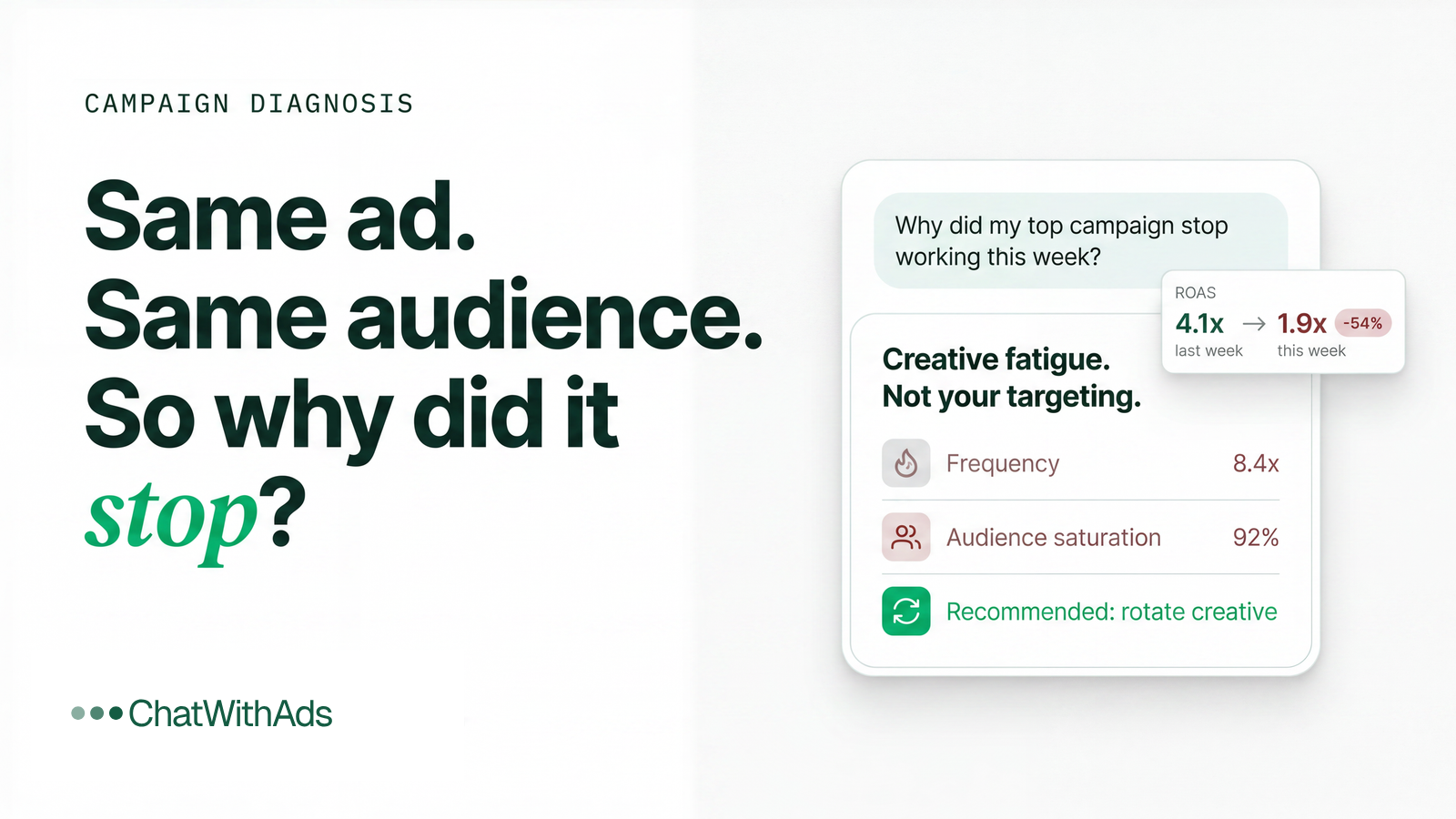
You had a winning campaign.
Last week, it was crushing. The ad creative drove conversions. The numbers looked solid. You even scaled the budget because it was performing so well.
Then this week hits.
Same ad. Same audience. Same product. But the conversion rate dropped. Cost per acquisition jumped. The campaign that was printing money last week is now barely breaking even.
You refresh the dashboard. Check the targeting. Look at the creative again. Everything seems fine on the surface.
But something clearly changed. And you can't figure out what.
This is one of the most frustrating moments in paid advertising when yesterday's winners become today's losers, and you have no idea why.
Why the Quick Fixes Don't Work
When performance drops suddenly, teams scramble for answers.
"Let's refresh the creative." "Maybe we need new audiences." "Just increase the budget to push through."
These are instinctive reactions. But they're usually wrong because they're guessing at symptoms instead of diagnosing the actual cause.
Here's what most people miss: ads suddenly stopped performing is rarely about the ad itself.
It's about what changed in the system around it.
Performance doesn't exist in isolation. Your ad works inside a complex environment:
- Audience saturation and frequency
- Competitive pressure in the auction
- Product availability and inventory
- Seasonal demand shifts
- Platform algorithm changes
- Landing page experience
- Pricing and promotions
Any one of these can break a winning campaign overnight.
Most analytics platforms won't connect these dots for you. You're staring at Meta Ads Manager showing declining performance, but it doesn't tell you why. You check Shopify and see conversion rate dropping, but there's no explanation.
You're looking at effects, not causes.
This is where ChatWithAds becomes essential. Instead of jumping between dashboards trying to piece together what changed, you can ask: "Why did my top campaign stop working this week?" and get an answer that connects ad fatigue, audience overlap, inventory issues, and competitive dynamics in one conversation.
What Actually Changed (The Logic Behind the Drop)
If a campaign was working and suddenly stopped, something in the performance equation shifted.
Performance = Creative Appeal × Audience Quality × Market Conditions × Execution
Let's look at what commonly breaks.
1. Creative Fatigue Hit Hard
This is the most common killer.
Your audience saw the ad too many times. Frequency climbed above the sweet spot. The hook that grabbed attention last week feels stale this week.
When you look at creative performance, declining click-through rates and rising cost per click are telltale signs. The creative didn't change but your audience's response to it did.
Understanding ad creative fatigue is critical. Most platforms don't warn you until performance has already tanked.
2. You Saturated Your Best Audience
Your campaign found the high-intent segment fast. They converted. Now you're reaching lower-quality prospects within the same targeting.
Audience saturation means you've exhausted the people most likely to buy. What's left are tire-kickers and browsers who won't convert at the same rate.
Your customer acquisition cost rises because you're fishing in a depleted pond.
3. A Competitor Changed the Game
Someone launched a similar product. Ran aggressive promotions. Outbid you in the auction.
Suddenly your CPM jumps. Your ad placement gets worse. Your offer looks less compelling compared to what else is in-market.
This is where competitive ad pressure quietly destroys performance. You didn't change anything but the competitive landscape did.
4. Inventory or Fulfillment Issues Emerged
Your product went into low stock. Shipping times increased. A size or variant sold out.
Even if the ad still runs, conversion rates drop when customers hit friction at checkout. They click but don't buy.
This is an operational constraint that looks like an ad performance problem. Most tools won't surface this connection.
5. The Algorithm Shifted Without Warning
Platform algorithms adjust constantly. What worked in the learning phase might not work in the optimization phase.
Facebook or Google might have changed how they evaluate your ad quality, shifted auction dynamics, or updated their delivery system.
These platform algorithm changes are invisible to advertisers. You just see the performance drop.
6. Your Offer Lost Urgency
Last week you had a flash sale. A limited-time discount. A launch bonus. That urgency drove action.
This week, the urgency is gone. The offer feels standard. Purchase intent drops even though the audience is the same.
Promotional intensity matters more than most people realize. When it fades, so does performance.
7. Seasonality Kicked In
Demand shifted. Maybe your product is weather-sensitive. Maybe buying behavior changed after a holiday. Maybe budget cycles reset.
Understanding seasonal demand patterns helps you distinguish between "the campaign broke" and "market conditions changed."
Your ad didn't stop working demand temporarily evaporated.
Your Real Decision Options
Once you identify what broke, you have choices. Each comes with trade-offs.
Option 1: Refresh Creative Strategically
Don't just swap the image. Test new hooks, angles, and formats based on what the data shows.
If creative fatigue is the issue, rotating fresh angles extends campaign life.
Trade-off: Requires creative production time and budget.
Benefit: Gets you back in front of the same audience with renewed interest.
Option 2: Expand Audience Thoughtfully
Find adjacent segments. Test lookalikes. Explore new interests.
If audience saturation is the problem, expanding reach is necessary. But do it with discipline don't just blast to broad targeting.
Trade-off: New audiences might convert at lower rates initially.
Benefit: Unlocks new growth potential instead of beating a dead horse.
Option 3: Adjust Bidding and Budget Allocation
Pull back spend on saturated campaigns. Shift budget to high-margin products or underutilized channels.
If competitive pressure spiked your costs, reallocating spend might be smarter than fighting an expensive auction war.
Trade-off: Short-term revenue dip as you shift.
Benefit: Better marketing efficiency ratio overall.
This is where ChatWithAds helps you model scenarios. Ask "What happens if I shift budget from this saturated campaign to my other products?" and see projected outcomes before you act.
Option 4: Fix the Funnel, Not Just the Ad
Improve the landing page. Simplify checkout. Address inventory issues. Speed up shipping.
If conversion rate dropped because of post-click experience, no amount of ad optimization will fix it.
Trade-off: Requires operational work outside of ads.
Benefit: Sustainable improvement across all traffic sources.
Option 5: Bring Back Urgency
Reintroduce time-limited offers. Launch bundle deals. Create scarcity.
If the drop happened when promotional intensity faded, restoring urgency can reignite performance.
Trade-off: Margin compression from discounts.
Benefit: Immediate conversion boost.
Option 6: Ride Out Seasonality
If demand dropped because of market timing, sometimes the smartest move is to pause, preserve budget, and wait for conditions to improve.
Trade-off: Revenue drops temporarily.
Benefit: You don't burn cash fighting a seasonal headwind.
What to Do Next: Your Diagnostic Framework
Here's how to figure out what actually broke.
Step 1: Pinpoint the Exact Moment
Find the day performance shifted. Don't average it out. Look at daily data and identify when the decline started.
Step 2: Check Key Diagnostic Signals
Compare before and after:
- Frequency (ad fatigue indicator)
- CPM (competitive pressure indicator)
- Click-through rate (creative effectiveness)
- Conversion rate (post-click quality)
- New vs returning customer ratio
- Inventory levels
- Competitor activity (manually check)
One of these will show the inflection point.
This is where ChatWithAds saves hours. Instead of pulling reports from multiple platforms, ask: "What metrics changed when my campaign performance dropped?" and get a breakdown that connects ad spend, creative metrics, and conversion data.
Step 3: Run a Controlled Test
Before making sweeping changes, isolate the variable.
- If you think it's creative fatigue → test one new creative variant
- If you think it's audience → test a small expansion
- If you think it's the offer → test adding urgency
Don't change everything at once. Test methodically.
With ChatWithAds, you can ask: "Should I refresh my creative or expand my audience based on these metrics?" and get guidance rooted in your actual performance data.
Step 4: Build in Early Warning Systems
Don't wait for campaigns to crash. Set alerts for:
- Frequency crossing thresholds
- CPM spikes
- Conversion rate drops
- ROAS decline
Catching issues early means you can adjust before performance fully tanks.
The Bigger Insight
When last week's winners stop working, it's rarely random.
There's always a signal. A metric that shifted. A condition that changed.
The problem is that most tools make you hunt for it across disconnected dashboards. By the time you figure it out, you've already burned budget on a broken campaign.
The brands that win aren't the ones with perfect campaigns. They're the ones who diagnose problems faster.
They see what changed. They understand why it matters. They act decisively.
And they do it without wasting days digging through data.
See What Changed in One Chat
The fundamental problem isn't that campaigns stop working. It's that figuring out why takes too long.
You're pulling data from Meta, Google, Shopify, and your analytics stack trying to connect the dots manually.
ChatWithAds solves this by unifying your advertising performance, creative analytics, audience data, and conversion metrics in one conversational interface.
Instead of asking "What happened?" across five different tools, you ask questions that actually help you fix the problem:
- "Why did my top campaign stop performing this week?"
- "Is this creative fatigue or audience saturation?"
- "What changed between last week and this week?"
- "Should I refresh the creative or expand the audience?"
ChatWithAds doesn't just show you charts. It reasons across channels and metrics to identify what actually shifted. It connects ad platform data with creative performance, frequency, CPM trends, and conversion patterns to explain exactly what broke.
It models scenarios so you can see whether refreshing creative, expanding audiences, or adjusting bids will actually solve the problem before you spend another dollar.
Most importantly, ChatWithAds gives you root-cause analysis not just surface metrics. It helps you understand whether the issue is creative fatigue, audience depletion, competitive pressure, or something operational.
Because when campaigns stop working, you don't have time to guess.
Start free at ChatWithAds.com and ask: "Why did my campaign stop working?"
Stop wasting budget on guesswork. Connect your ad accounts and get answers rooted in your actual data. See what changed, understand why it matters, and know what to do next.
Get the next one in your inbox
Marketing-analytics deep dives like this one, straight to your inbox. No spam, unsubscribe anytime.